Colab examples
Last updated on 2026-07-14 | Edit this page
Estimated time: NA minutes
Overview
Questions
- Can you open, edit, and execute python code in a Colab environment
Objectives
- Familiarize yourself with working with basic python in a Colab environment
Introduction
In this section, you’ll be shown how to open and work with Colab/Jupyter/python. If you are familiar with this, you can skip it.
However, the next part is very important. It’s a Colab notebook that walks you through how to open some of the files we’ll be working with this week so make sure you go through it!
Using Colab
Optional…for some of you
If you are familiar with python, Jupyter notebooks, and Colab, you can skip this section and move on to “Opening files and making plots”
If you are not familiar with python or Jupyter notebooks or Colab, here are 3 relatively short video lectures from Siena University’s course, DATA 110: Exploratory Data Analysis and Visualization. Links to the empty Colab notebooks are also provided so that you can make a copy and go through the material on your own as well.
Opening files and making plots
In this workshop, you’ll be working in a Colab environment to open files (.csv, .root, .parquet, etc.), extract data, and make plots of that data. In this section, you’ll open and run through a Colab notebook to test your setup and your understanding.
Reminder!
To make sure you can save your edits, after you’ve opened the file, go to the File dropdown menu, and select “Save a copy in Drive”.
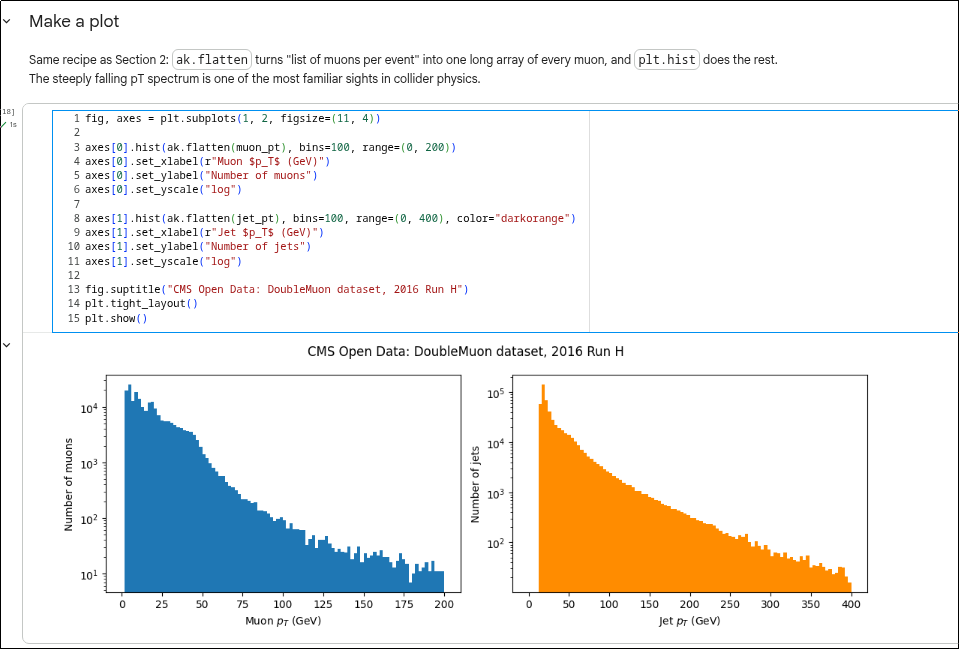
- Colab notebooks are an easy way to write, edit, execute and share python code